Collar › Guides › Coming from another system
Guide · coming from
Coming from MX Deposit
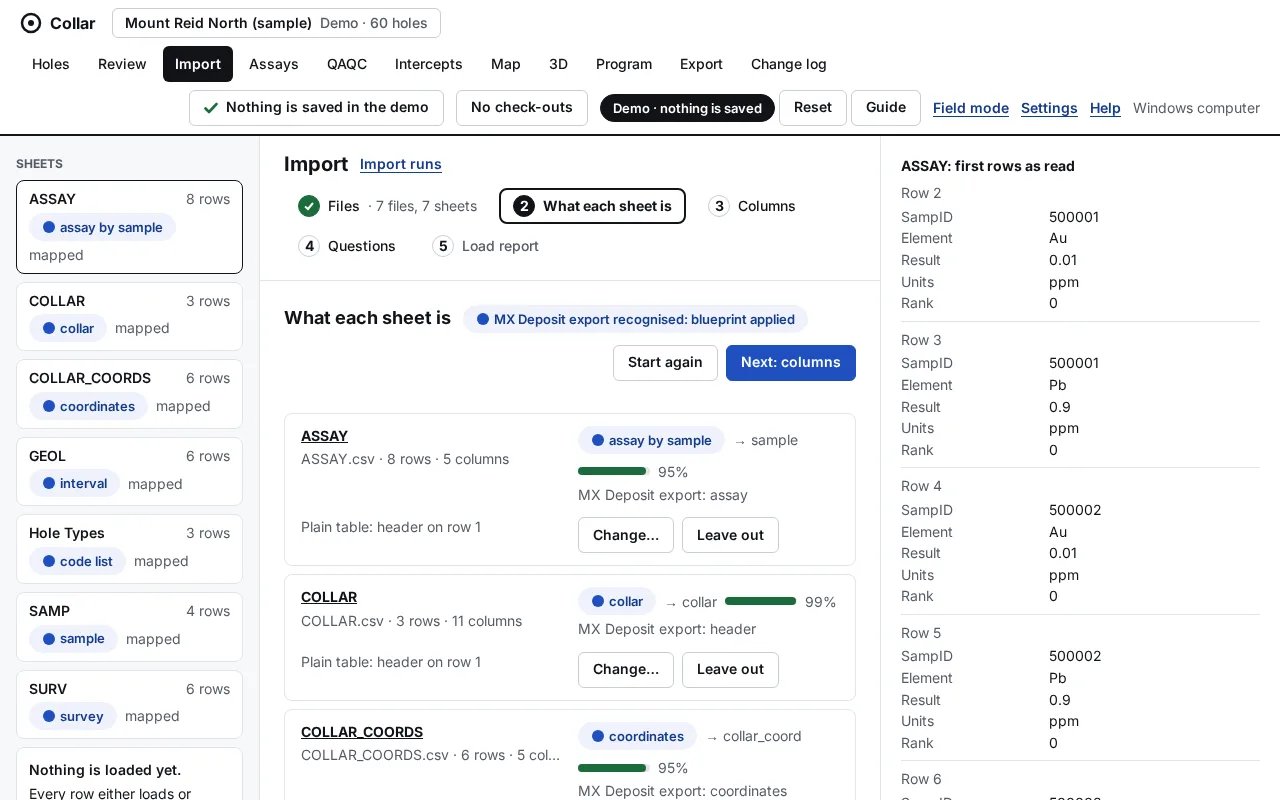
Export the drillhole tables from MX Deposit as they are and drop them on Import: Collar recognises the export and places every table.
01
Get the data out
- In MX Deposit, export the project's drillhole data as CSV: the collar or header table, coordinates, downhole surveys, geology, the sample register and the assay results. Export the Hole Types list with them if your hole types are stored as descriptions.
- Drop the downloaded zip on Collar's Import screen as it is: there is no need to unzip it. Loose CSV files, or a workbook with one sheet per table, work the same.
- Use MX Deposit's standard export. A custom export template changes the column headers, and Collar then maps the columns as it would any spreadsheet's, for you to check.
02
What Collar does with it
- Collar recognises an MX Deposit export by its column names and places every table: collars, coordinates, surveys, geology, samples and assay results.
- Every coordinate set in the export, the raw grid and each converted one, is kept as its own set.
- Lithology and alteration codes exported side by side in one geology table go to their own tables.
- US-style dates are read month-first when the data proves it, such as 8/20/2020.
- Hole types exported as descriptions are matched back to their codes from the Hole Types list.
- A workbook with one sheet per table imports the same as the CSV files.
- Tested on three MX Deposit exports, each with its own column spellings.
On Basic and Studio. Education does not recognise vendor exports.
101 named checks, each explained in plain words, run on your drillhole and assay data the moment it is imported. Blockers stop an export until they are fixed or a named person overrides them with a reason.
03
The result in Collar
04