Product tour
Collar, in the order you work
Log at the rig without a laptop or signal, skip the end-of-day cleanup, let certificates match themselves, and export a set that loads first time.
Import
 1
2
3
4
5
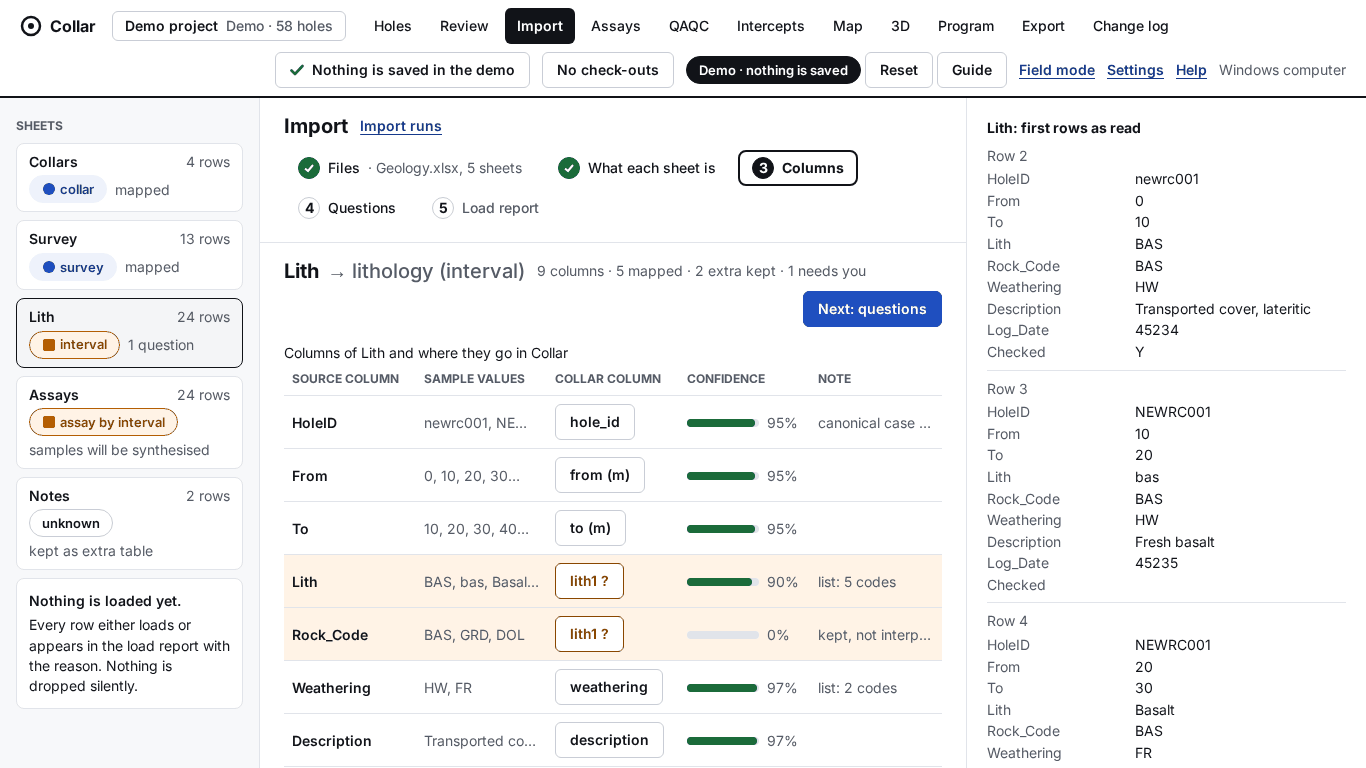
Drop in the workbook as it is: Collar works out what each sheet is from its columns, shows the mapping, and asks only what it cannot tell (dip sign, CRS, what a negative assay means).
- Five steps, one screenFiles, what each sheet is, columns, questions, the load report.
- Each sheet classifiedLith is read as an interval table, with one question left.
- Every column mapped, with confidenceLith codes not on the list are counted before anything loads.
- Only the questions it needsNext goes to the questions Collar cannot answer itself.
- The rows as readThe first rows exactly as Collar parsed them, so a shifted header shows at once.
Review queue
 1
2
3
4
5
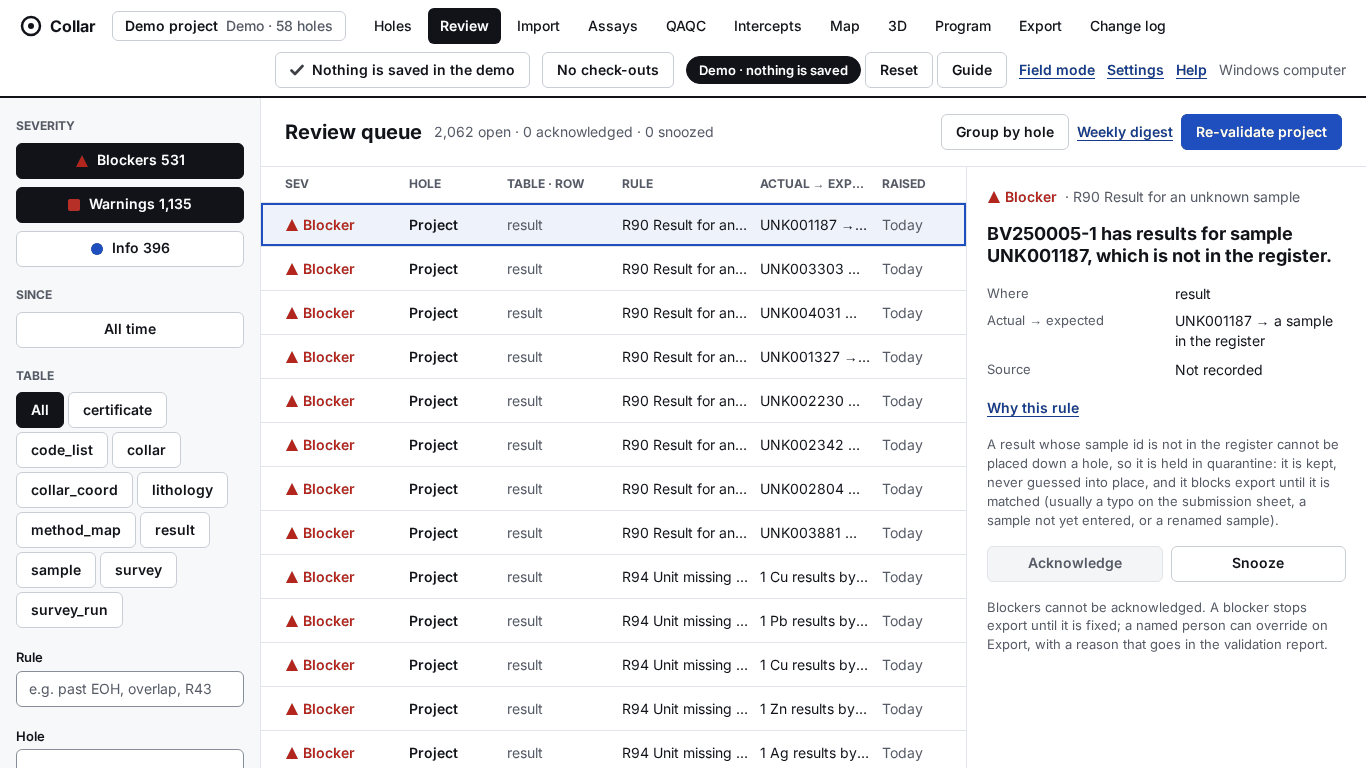
No end-of-day cleanup: the checks run as you log and the moment data comes in, so a problem is caught when it is made.
- Sorted by what mattersBlockers, warnings and info, counted and filtered by severity, date raised and rule.
- By tableCollar, survey, lithology, samples, results and the rest.
- One finding, one rowThe hole, the table and row, the rule, actual against expected.
- What is wrong, in a sentence"BV250005-1 has results for sample UNK001187, which is not in the register", with "Why this rule".
- What you can doApply the fix, or acknowledge a warning with a reason or snooze it; a blocker is fixed or decided by a named person.
Certificates and QAQC
 1
2
3
4
5
6
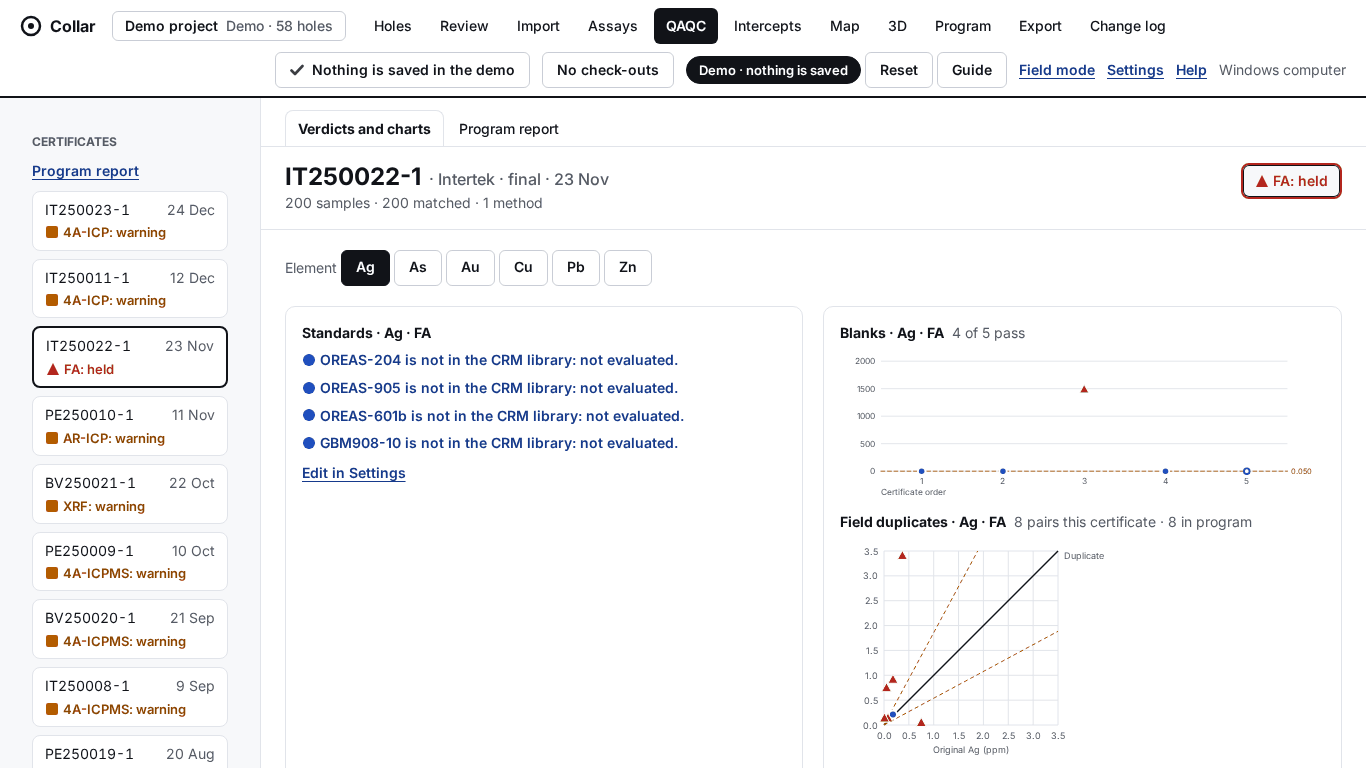
Certificates match themselves: drop in the lab's file and each result lines up with its sample.
- A verdict per certificateEach with its method and date; this one is held on fire assay.
- HeldResults from a held batch stay out of reported values.
- One element at a timeAg, As, Au, Cu, Pb, Zn, as the certificate carries them.
- StandardsJudged against the CRM's certified value; a CRM missing from the library is said, not guessed.
- BlanksPlotted in certificate order against the limit.
- Field duplicatesPairs on this certificate and across the program.
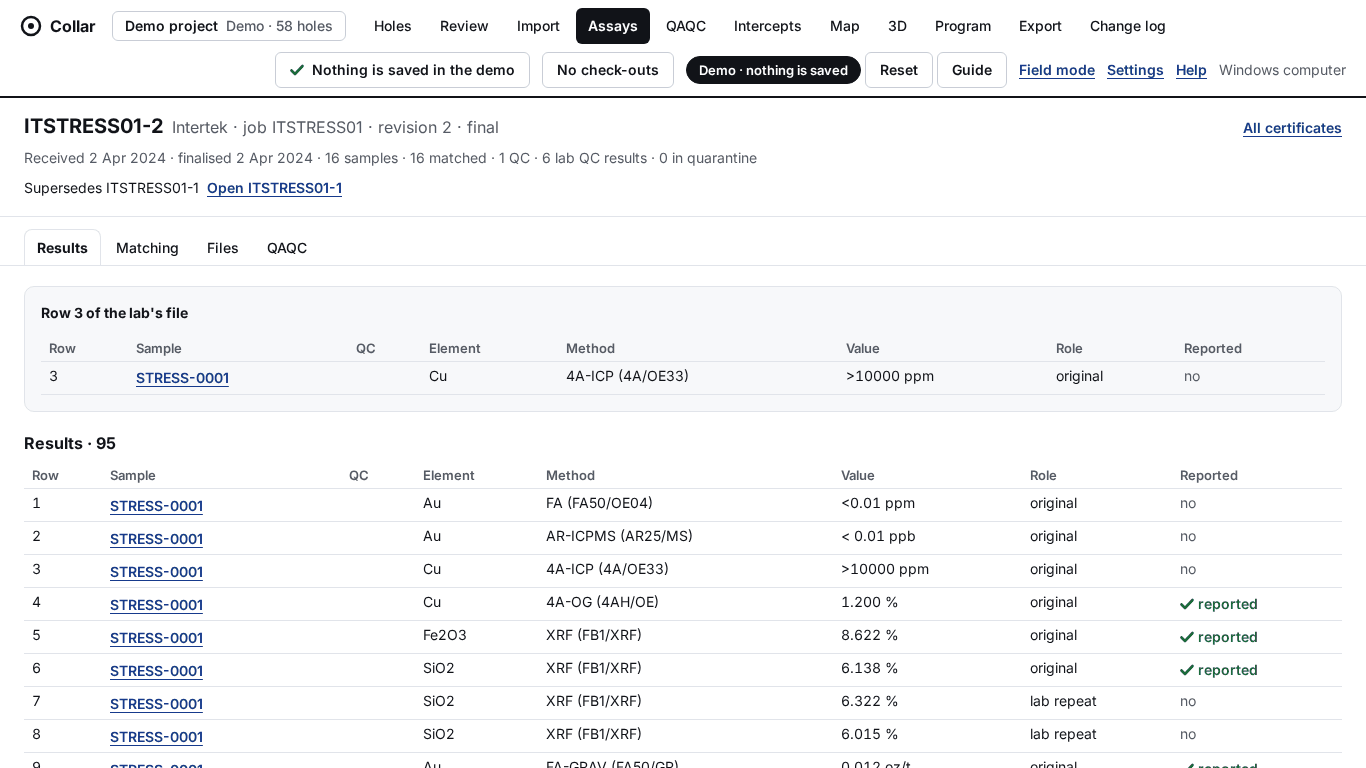
Reads lab certificates as the lab sends them: the major labs' CSV and Excel downloads, reports with their lab QC rows, and any sheet with method, unit and detection-limit rows above the results.
Field logging
 1
2
3
4
5
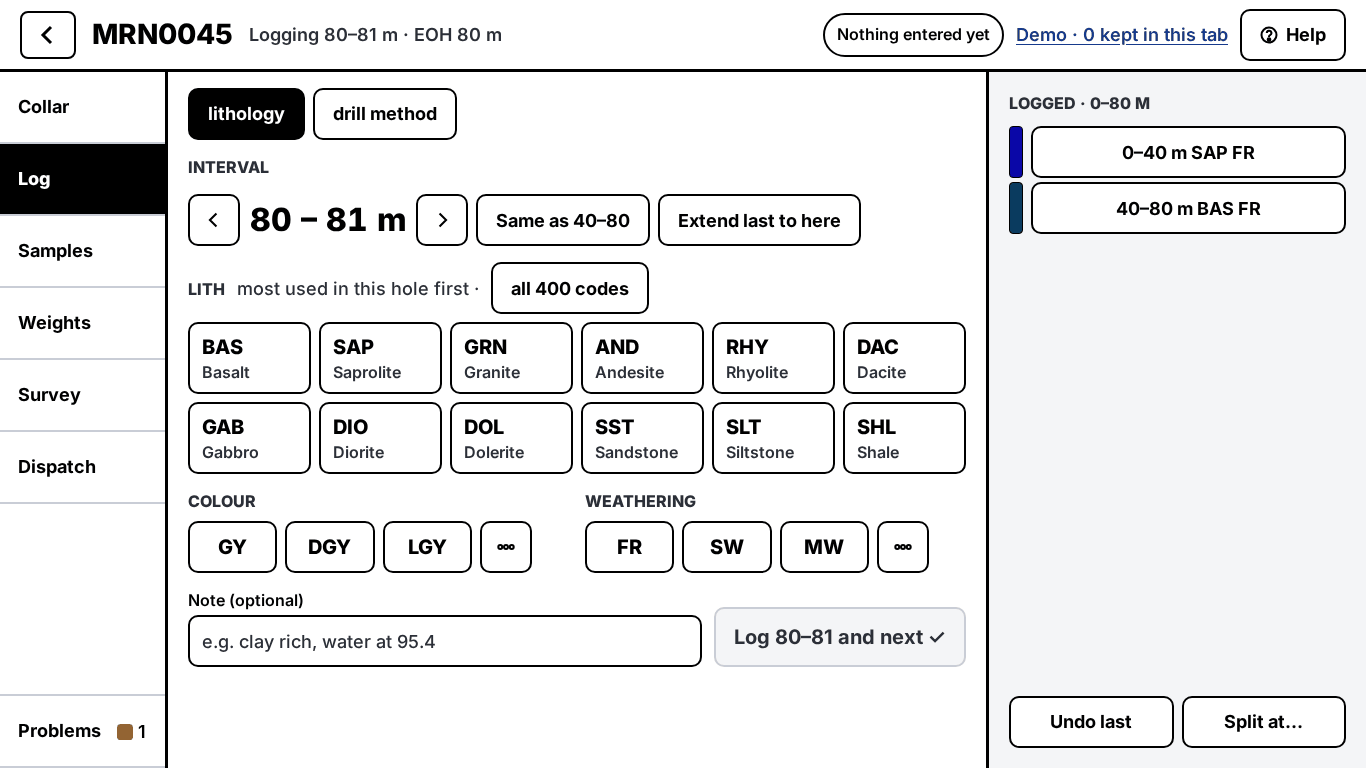
Log at the rig without a laptop or signal: field mode on a tablet, and every project you download works offline.
- The intervalStep a metre, repeat the last interval ("Same as 40–80"), or extend the last one to here.
- Codes as buttonsThe codes used most in this hole first; all 400 one tap away.
- Log and nextSaves 80–81 m and moves to 81–82 m.
- What is loggedThe hole so far, interval by interval.
- ProblemsCaught at the rig, not in the office: the same checks run at the moment of entry, so a bad entry never reaches the log.
Photos
 1
2
3
4
5
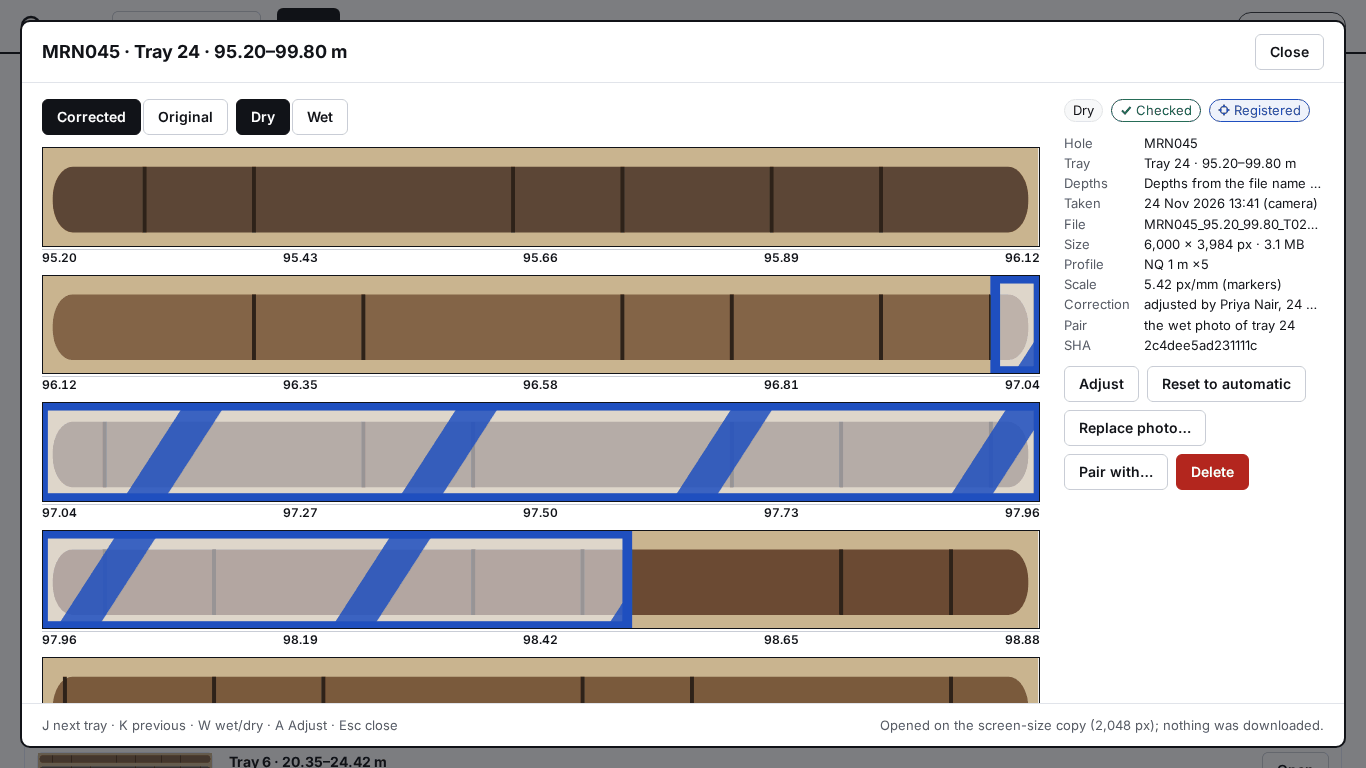
Every tray photo finds its hole and depth.
- Corrected or original, dry or wetBoth photos of a tray, both versions of each.
- Rows at depthThe tray cut into its rows with the depth at each end and in between.
- Where the depths came fromDepths from the file name, the scale from the tray-end markers, who checked the correction.
- Fix it where you areAdjust the correction, reset it, replace or pair the photo.
- Light on the networkOpened on the screen-size copy; the full photo stays where it is.
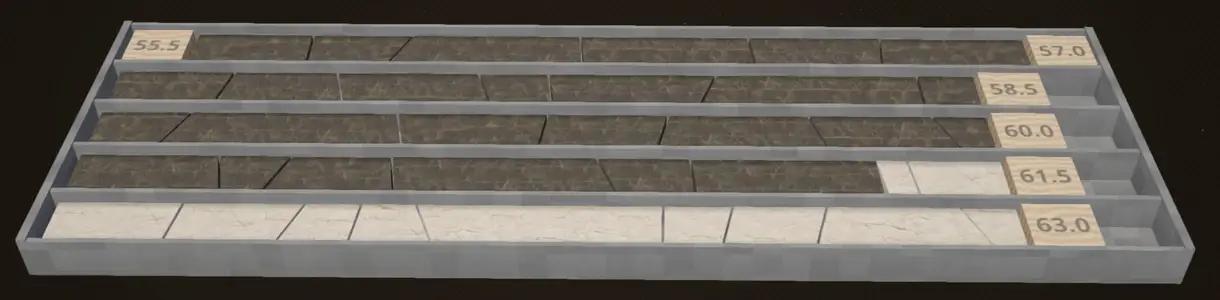 MRN046 · 55.5–63.0 m
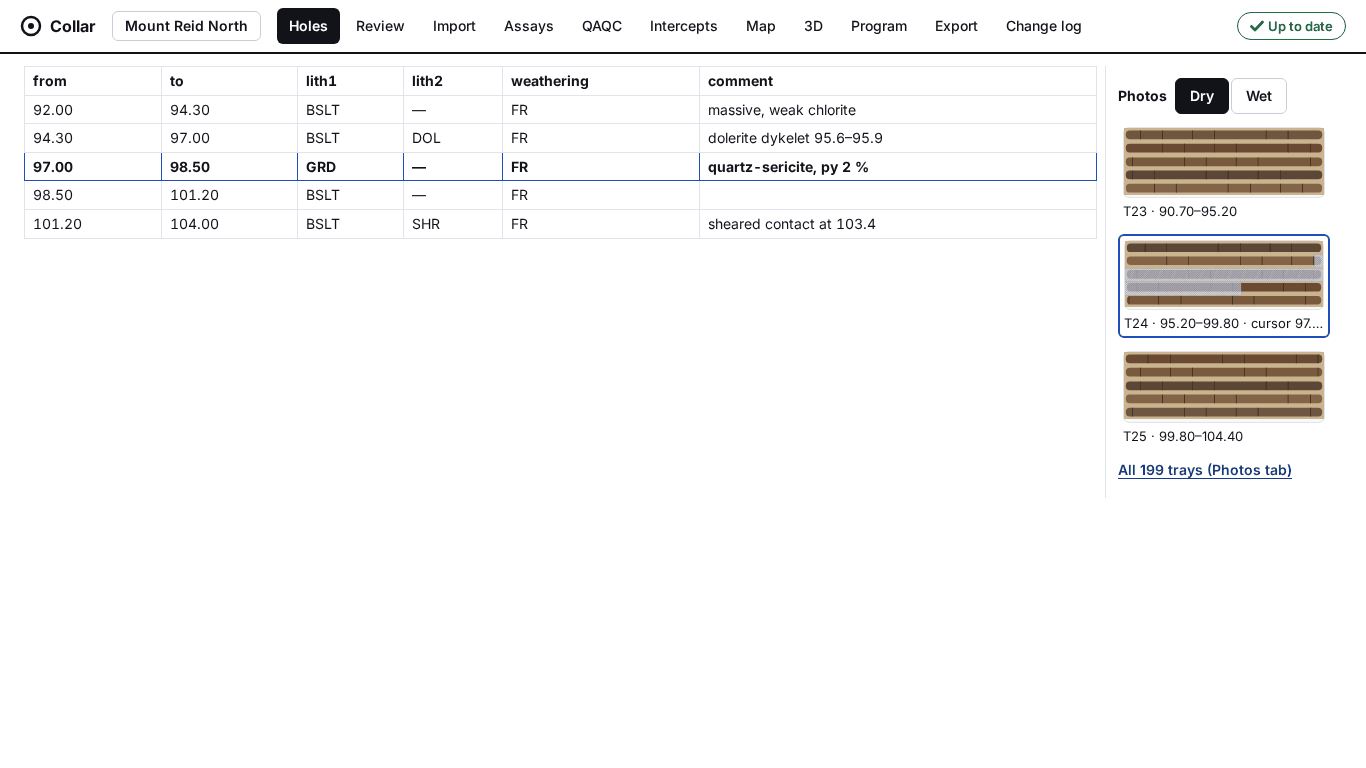
Beside the log, the hole's trays follow the row you are on: the tray holding 97.00 m is outlined while you read that interval.
Intercepts
 1
2
3
4
5
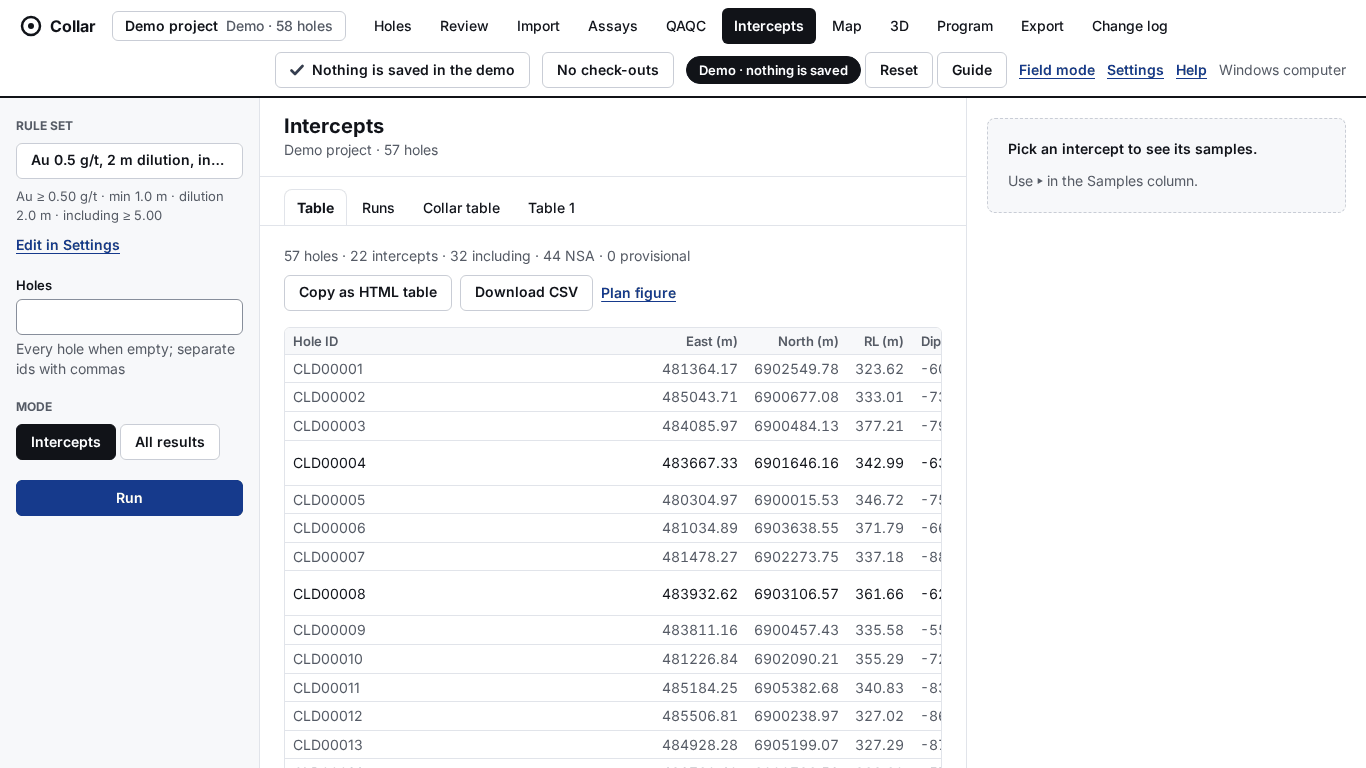
Announcement tables, ready to copy.
- Your rule setCut-off, minimum length, internal dilution and the "including" grade, saved by name.
- Four outputsThe intercept table, the runs behind it, the collar table and JORC Table 1.
- The count, plainly57 holes, 22 intercepts, 32 including, 44 NSA, 0 provisional.
- Into the announcementCopy as an HTML table, download CSV, or open the plan figure.
- Every hole listedWith its collar position, so holes with no significant intercept are shown, not dropped.
Exports
 1
2
3
4
5
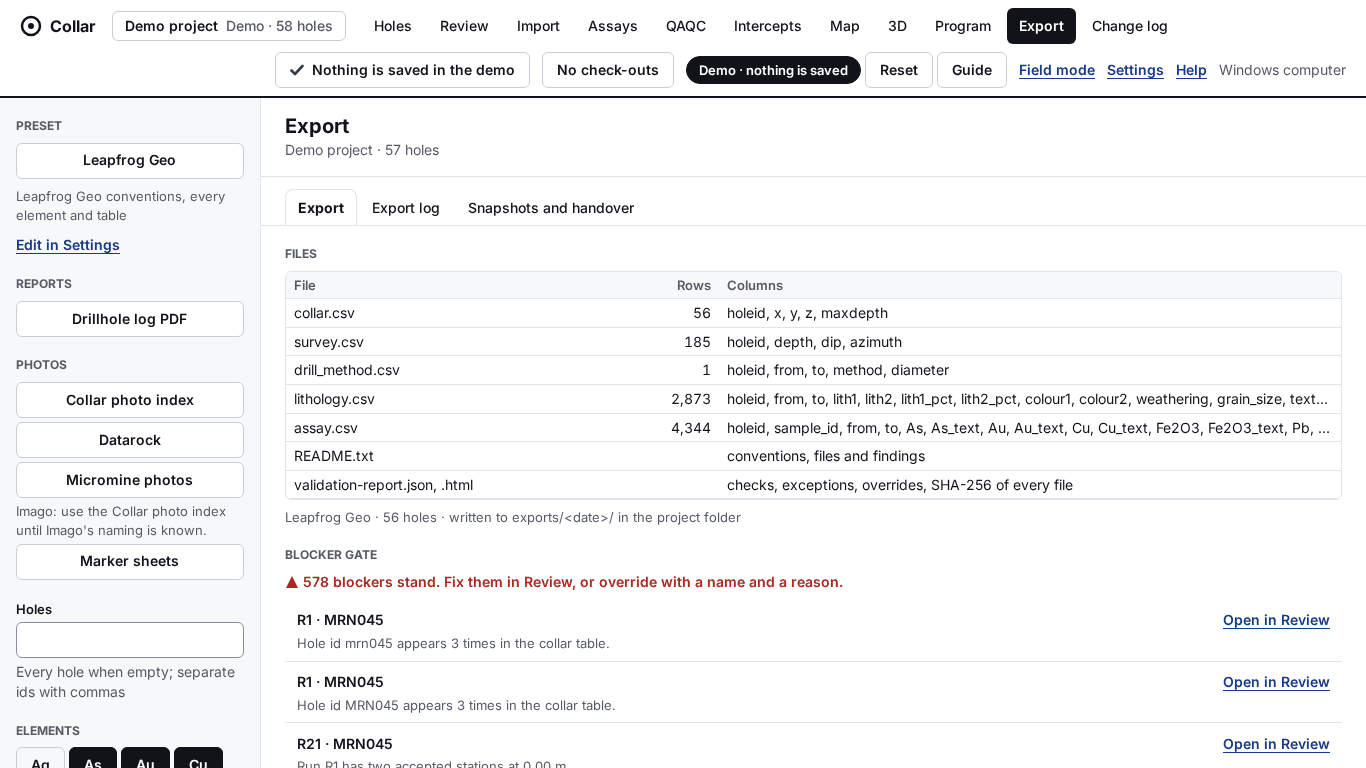
Exports that load first time.
- A preset per packageLeapfrog Geo here: its conventions for every element and table.
- The files before they are writtencollar, survey, drill method, lithology and assay CSVs with row counts and columns, a README and the validation report.
- Nothing unchecked goes outAnything still open is listed with its fix in Review, or a named person makes the call and the reason goes in the validation report.
- Straight to the fixEach open finding opens in the review queue, with its fix.
- Photos and reportsPhoto index presets, marker sheets and the drillhole log PDF.
Try it on the sample
The demo opens this project with its deliberate faults. Nothing is saved; reset it any time.